


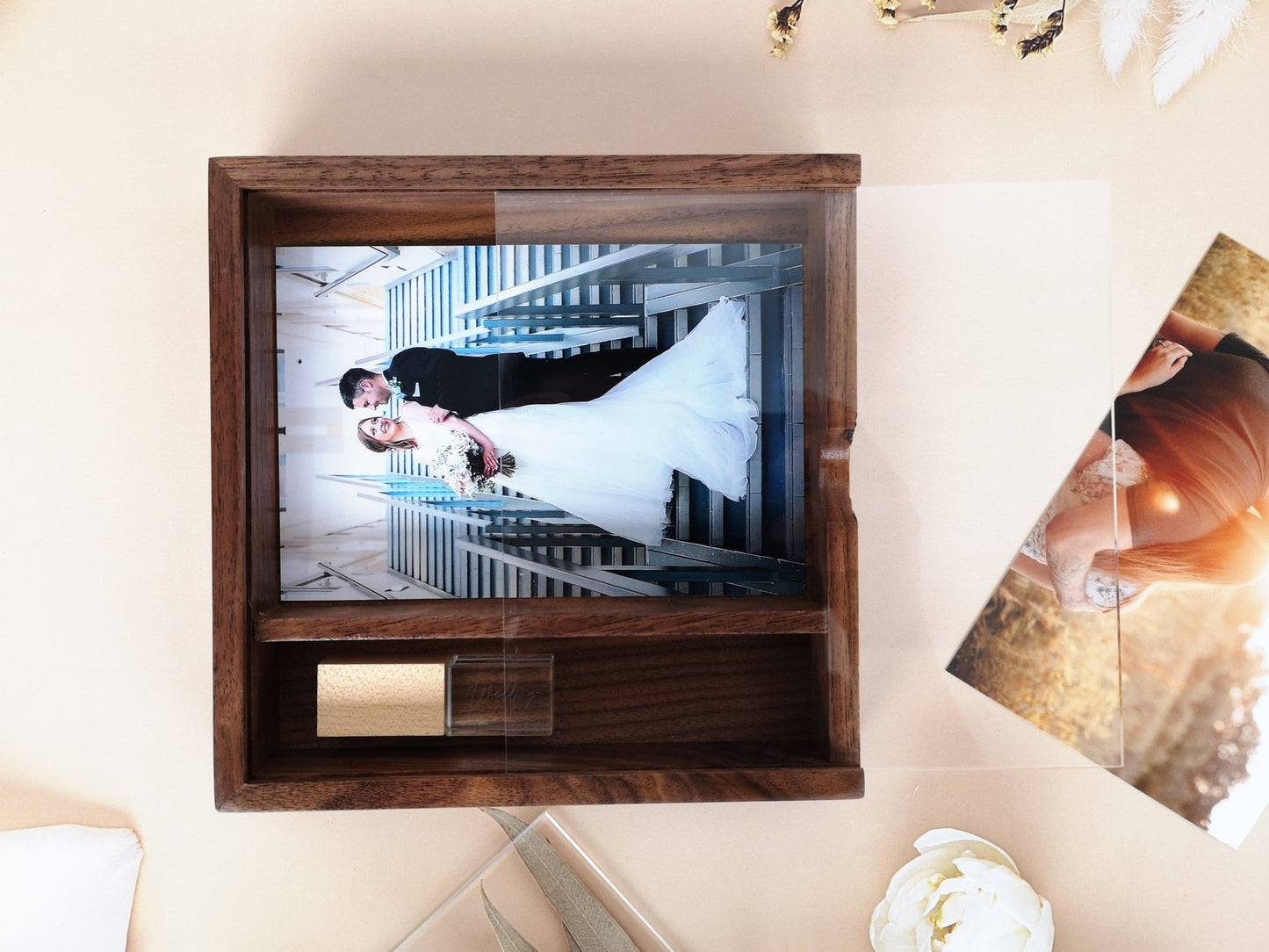
4*6 Inches Wooden Photo USB Box With Acrylic Lip
4*6 Inches Wooden Photo USB Box With Acrylic Lip
Couldn't load pickup availability
Volume Discounts
Volume Discounts
Shipping
Shipping
European Union: 7-12 business days
USA: 7-15 business days
UK: 5-10 business days
Canada: 7-15 business days
Australia: 7-12 business days
Asia: 5-10 business days
Description
Description
Share


Production Info
📌📌Read me Before Purchase
laser logo must offer vector file,if your did not have vector file,we offer bitmap/image (e.g. JPG,PNG)convert into vector file service, please select this service if cannot offer vector file;
* make laser filled need take lost of time,please understanding our job
👆👆👆👆👆Read me Before Purchase👆👆👆👆👆
【Product Feature】
🎈 High quality acrylic lip with wooden contain; box could hold 4*6 inch prints;
🎈 Silver Crystal USB with wooden lip;
🎈 USB A interface is 3.0/ 3.1,Ultra high speed chips;
🎈 compatible with Mac,Windows,Linux,TV(* different TV May require different format,please read your TV manual)
🎈 Warranty: 1 year
【HOW TO Personalized】
*** ALL LOGO ONLY Engrave on wooden part or acrylic lip🎯🎯🎯
For Text
• Choose from 9 distinctive fonts for personalized text. Specify the font number in the personalization box;
• Express Yourself with B/W emojis—simply include them in your message! 😊
For Formated icon/logo
we offer some design as photo, you could select one of them, then replace name and date;
FOR your logo
if you have yourself logo or design, please send in vector format(PDF/AI)
**if only JPG available, please add logo service fee in your purchas cart
Custom Logos & Beyond 🌐
【Package & Shipping】
we offer one nice white carbon gift box inside;
Process time:5-10days
Shipping time:7-15days
if need urgent shipping, please contact us
【Technical Specs 】
• Interface: USB 3.0
• USB Formatting: Comes formatted in FAT32; supports files up to 4GB. For larger files: NTFS /EXFAT
• Windows:
>> Insert USB.
>>Right-click on USB in "My Computer" and choose "Format."
>> Select NTFS/EXFAT and click "Start" (erases all data).
• Mac:
>> Insert USB.
>>Open "Disk Utility."
>>Click on USB and press "Erase."
>>Choose "ExFAT" and click "Erase" (erases all data).
• Note: Back up files before formatting.